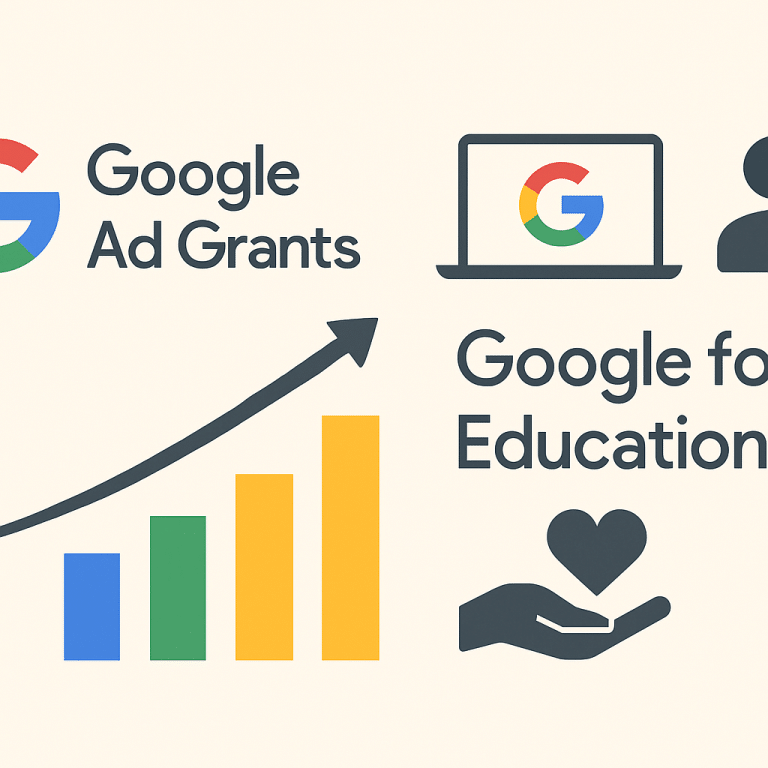
Google Ad Grants and Google for Education serve different needs. Ad Grants provides qualifying nonprofits with up to $10,000 USD per month in in-kind Google Search advertising. Google for Education offers products for qualifying educational institutions. An education-related mission does not automatically qualify an organization for either program. Check the specific eligibility rules before planning campaigns or selecting tools.
For a nonprofit marketing or operations team, the first decision is practical: are you trying to reach people who search for your services, or are you choosing technology for teaching and institutional collaboration? Those are different projects. Each needs a clear owner, appropriate eligibility, a useful implementation plan, and a way to evaluate results.
This guide replaces broad promises about “free tools” with a decision process. It explains where to start, which assumptions to avoid, how to prepare a website and campaign brief, and how to plan the staff work behind the technology. Examples are illustrative planning scenarios, not reported client results.
Choose the right starting point
| Your goal | Program to investigate | What to verify |
|---|---|---|
| Reach people through eligible search advertising | Google Ad Grants through Google for Nonprofits | Organization eligibility, website quality, activation, and ongoing policies |
| Choose school collaboration and learning tools | Google Workspace for Education and related education offerings | Institutional qualification, edition features, administration, and total costs |
| Support a charitable organization with workplace tools | Applicable Google for Nonprofits offerings | The organization’s account eligibility and the specific product’s terms |
| Run advertising outside the grant’s coverage | A separately budgeted paid advertising plan | Campaign suitability, budget authority, and measurement |
What Google Ad Grants provides
According to the official Ad Grants FAQ, the program provides qualifying nonprofits with up to $10,000 USD per month in in-kind search advertising. This is advertising support rather than a cash payment to the organization. Unused funds do not roll over, and Google states there is no requirement to spend the full amount.
The program covers text-based search advertising. Do not build a plan that assumes the grant pays for every digital channel, outside agency fees, website development, or staff time. The value of an account depends on whether relevant people can find a useful page and complete a meaningful next step. Spending more of an allowance is not, by itself, an organizational outcome.
A campaign might help people discover a service, learn about an issue, or investigate a volunteer opportunity. Those are possible objectives to evaluate. They are not a promise of donations, enrollment, qualified applications, or growth. A useful plan begins with a real audience need and a page that answers it.

Eligibility: check the organization rather than the mission label
The Google for Nonprofits eligibility guidelines identify registration requirements and verification through Goodstack. For US applicants, the guidelines include applicable 501(c)(3) or qualifying group exemption requirements. Eligibility is not established merely by calling an organization mission-driven.
The guidelines exclude government entities, hospitals and healthcare organizations, and schools, academic institutions, and universities. They distinguish associated charitable or philanthropic arms, which may be eligible. A separately organized school foundation and the school itself should not be treated as the same applicant. Confirm the actual applicant’s status and current rules.
Do not use an old checklist that assumes every application follows a previous verification provider’s process. Follow the live Google instructions and the account’s prompts. Keep registration information, organization identity, authorized contacts, and domain details consistent. If an unusual structure creates uncertainty, ask the program’s support channel before investing in campaign setup.
Google for Education is not a general education nonprofit benefit
Google’s Workspace for Education qualifications focus on eligible educational institutions, including qualifying K–12 schools and degree-granting higher education institutions. Its documentation says organizations that are not schools do not qualify merely because they serve students. Examples include tutoring, job training, and nonprofit mentoring organizations.
A charity running an after-school program should therefore investigate its actual eligibility rather than assume it belongs in the Education program. A qualifying school should compare the relevant editions and their included features. Educational purpose, nonprofit status, product eligibility, and feature availability are separate questions.
For official product information, begin with Google for Education. Review current editions, administrative requirements, and any applicable pricing. A no-cost component does not mean that every upgrade, device, support arrangement, or implementation expense is included.
Prepare the website before building an Ad Grants campaign
Google links website quality and program policies to qualification. Independently of those requirements, a useful landing page should make the organization’s purpose, service, and next action easy to understand. A person searching for help should not have to work through a general homepage to determine eligibility, location, or how to make contact.
Choose one page for each campaign objective. A volunteer campaign might lead to a page explaining responsibilities, location, training, schedule, and the sign-up process. A service information campaign might explain who the program serves, how access works, and what to do next. Review mobile usability, readability, form behavior, and response ownership before launching.
Make the next step accurate. If a program has an intake process, describe it. If an event requires registration, show the correct date and a working registration path. If someone will review an inquiry, explain the process without promising a response time the team cannot sustain.
Create a campaign brief your team can use
A short written brief can prevent an account from becoming a collection of disconnected keywords. Complete the following prompts before discussing ad copy or budgets. This is an editorial planning worksheet, not a Google application form.
- Audience: Who is the campaign intended to help or reach?
- Need: What is that person trying to find or accomplish?
- Geography: Where can people use the service or participate?
- Page: Which approved page answers the searcher’s question?
- Action: What useful next step can the person complete?
- Measurement: How will the team distinguish a meaningful action from a casual visit?
- Follow-up: Who handles inquiries and updates the information?
- Review: Who checks current policy requirements and campaign relevance?

Illustrative campaign ideas for mission-driven organizations
Service discovery
Connect a relevant local query to a clear explanation of the program and intake process.
Volunteer information
Explain the actual commitment and direct interested people to a suitable sign-up step.
Event registration
Use a current event page with confirmed details and a working registration process.
Conceptual examples. No traffic, conversion, fundraising, or enrollment results are implied.
Keep the campaign aligned with the organization’s actual work. A broadly popular search term can generate visits from people the organization cannot serve. Start with useful intent and review the questions that visitors ask. Update content when eligibility, program capacity, dates, or location changes.
Maintain the account after activation
The Ad Grants account management policy covers location targeting, sitelinks, performance, conversion tracking, bidding, and participation requirements. Some requirements depend on account configuration or creation date. The live policy is the reference for your account, rather than a generic checklist copied from an older article.
Assign someone to monitor notifications, review policy changes, maintain accurate campaigns, and investigate tracking problems. A new account and an existing account with a compliance issue may need different actions. If an account is deactivated, read the stated reason and use the official correction and reinstatement process.
Do not assume activation completes the project. Campaigns need current pages and relevant targeting, while the team needs a process for reviewing results. If nobody has time or authority to maintain the account, address that capacity question before expanding it.
Measure outcomes that support the mission
Decide what a useful action means before choosing a dashboard. An information request, completed volunteer form, or registration may be relevant, depending on the campaign. A page view answers a different question. Avoid counting every website interaction as equally valuable or treating all form submissions as qualified interest.
Review whether the action was recorded correctly, whether the inquiry was relevant, and whether the organization could respond. A technical conversion can be incomplete as an operational measure. For example, a successfully submitted form may still lack the information needed to help the person or arrange the next step.
Use results to improve the page and process. If visitors ask questions already answered elsewhere, bring the explanation closer to the action. If a form is confusing, fix the form. If inquiries come from places outside the service area, review the campaign and the page’s geographic clarity. These are diagnostic examples rather than claims of proven performance improvements.
Plan staffing, ownership, and outside support
Even when advertising support is in kind, the organization still needs planning, content, measurement, and follow-up. Decide who owns the program, who can approve copy, who maintains pages, and who receives notifications. Use organization-controlled accounts and a documented handoff when employees or vendors change.
If you hire outside support, define the work before comparing proposals. Ask which tasks are included, how access is managed, who owns the account and creative materials, what reporting will explain, and how the arrangement can end. Agency fees are separate from the grant’s advertising allowance.
If you recruit an employee, describe whether the role includes search advertising, website content, analytics, email, social media, or development communications. Those responsibilities can require different experience. Foundation List’s employer resources can help you prepare a clearer opening.
A practical launch and review checklist
- Confirm the correct organization and program path using current official guidance.
- Choose one defined audience and a useful campaign objective.
- Review the relevant website pages, forms, and mobile experience.
- Document account ownership, approvals, and notification contacts.
- Set up appropriate measurement and check how it works.
- Assign follow-up responsibility before driving inquiries.
- Review policies, results, and changing program information regularly.
This checklist organizes the work. It does not replace Google’s eligibility review, full program policies, or your institution’s own approval process. Product features and program requirements can change, so record the official pages your team uses and revisit them when decisions depend on current terms.

Prepare for staff and vendor transitions
Document the purpose of each campaign and page in language a new colleague can understand. Keep a record of who approves changes, where reporting is stored, how inquiries are routed, and which issues need escalation. A short handoff should explain the work as well as identify the accounts involved.
When responsibilities change, review access through the organization’s approved process and confirm who receives important notifications. Test the inquiry route after a handoff so a working form does not send requests to an unattended inbox. Keep this review focused on the actual people and workflow. Technology can continue running after a staffing change while the follow-up process quietly stops working.
Frequently asked questions
Is Google Ad Grants a cash grant?
No. The program provides in-kind search advertising support for qualifying organizations. It is not money paid to your organization.
Does unused Ad Grants advertising support roll over?
Google’s FAQ states that unused funds do not roll over and that there is no requirement to spend the full monthly amount.
Does a nonprofit education mission automatically qualify for Workspace for Education?
No. Google’s institutional qualification rules apply. Serving students or offering mentoring is not enough on its own.
Can a school foundation have different eligibility from a school?
Yes. Google’s nonprofit guidelines distinguish schools from associated philanthropic arms. Check the actual applicant and the current requirements rather than assuming both entities have the same status.
Who verifies Google for Nonprofits applicants?
The current eligibility guidance identifies Goodstack as Google’s validation partner. Follow the live application instructions for your organization.
Does approval guarantee donations or increased participation?
No. Approval does not establish campaign results. Outcomes depend on relevance, content, implementation, measurement, and the organization’s follow-up process.
Can the advertising grant cover outside management fees?
The grant’s in-kind advertising allowance is separate from staff time, website work, or an outside provider’s fees. Budget those costs independently.
Where should a team check account requirements?
Use Google’s current Ad Grants account management policy and linked help documentation. Requirements can depend on account details and can change.
Official resources
- Google Ad Grants and the program FAQ
- Google for Nonprofits eligibility
- Ad Grants account management policy
- Google for Education
- Workspace for Education qualifications
Reviewed October 26, 2026. Illustrative examples do not imply measured results.
Continue Your Mission-Driven Career
Explore more openings from mission-driven employers.