Reviewed October 26, 2026. Check current platform settings and documentation before changing an account or measurement workflow.
How should nonprofits approach Instagram SEO? Publish clear, useful public content, explain the topic and relevant location naturally, provide accessible descriptions, and connect readers with accurate next steps. Review search performance where reporting is available. Eligibility for discovery does not establish that a post will be indexed, ranked, or produce a particular result.
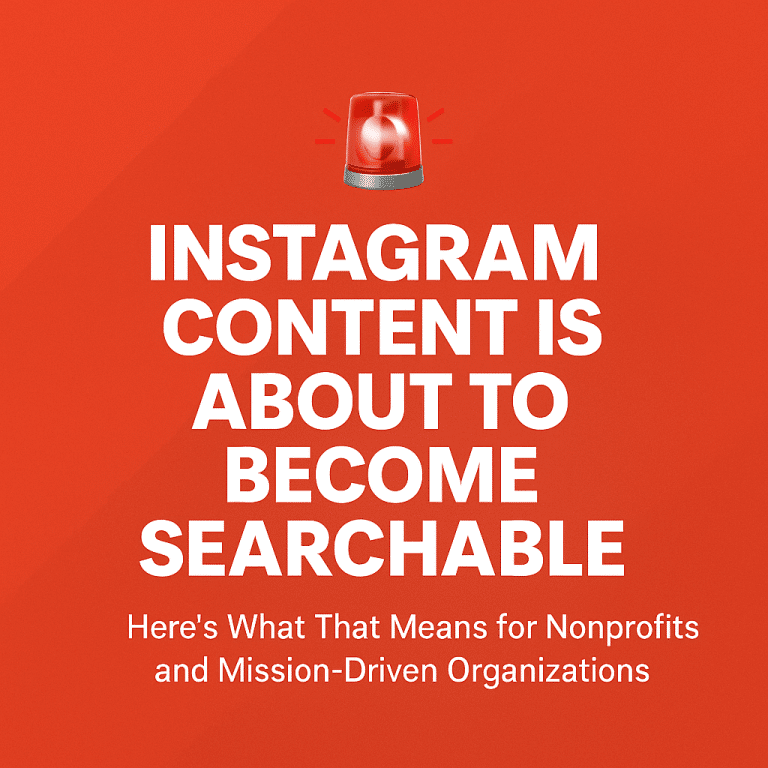
Instagram content can be part of how people learn about an organization, its programs, events, jobs, and resources. A useful plan starts with the reader’s question and the information they need. Search considerations should support that communication rather than turn captions into keyword lists.
What is relevant to search visibility now?
Google’s current social and video reporting guide includes Instagram among the platforms whose content people may discover through Google. It describes platform properties in Search Console and the process of adding and verifying accounts to review available reporting.
Use the current documentation and your account’s actual options when setting up measurement. Platform properties are different from a property for your own website. Search reporting describes observed performance; it is not a promise of discovery for every post.
For Instagram account controls, review the current Instagram Help Center and settings available to your account. Confirm what is public and which external-search options apply. Avoid relying on a screenshot of an old menu as a universal instruction.
Choose one reader need for each post
A post might explain a service, introduce a role, answer an event question, or show a work process. Decide which purpose it serves before writing. The audience for a volunteer orientation may need different information from an employer researching job posting options.
Write down the question the post answers and the action a reader can take. A useful topic is specific enough to explain without exaggerated claims. If the information is incomplete, resolve it before publishing rather than asking an appealing image to carry an unclear message.
Keep sensitive information and consent in view. Public discovery can extend beyond existing followers. A story or photograph appropriate for one context may need additional review before being used in a broadly discoverable post.

Make the topic clear in the caption
Use ordinary language that names what the post is about. A caption about preparing for a nonprofit interview should say that clearly and provide relevant information. Avoid a vague opening that requires readers to infer the topic from a decorative graphic or a long string of hashtags.
Include the organization, activity, role, or location when relevant. Keep facts consistent with the source page. Do not add place names or job titles solely to target searches unrelated to the content. Relevance matters to the reader even when the post is found through a direct share.
Use location information when it helps someone act
For an in-person event, explain the city, venue, date, time zone, registration, and accessibility contact where appropriate. For a program, explain the actual service area or eligibility information through the approved source. A location tag is not a substitute for essential instructions.
For a job post, state the actual work arrangement and direct readers to the complete vacancy. Remote work can still involve geographic restrictions or attendance requirements. Keep the social description consistent with the employer’s posting and close or update outdated recruitment content.
Write image descriptions for accessibility
W3C’s image accessibility guidance explains that text alternatives depend on the purpose of the image. Describe meaningful content accurately and avoid turning an image description into a list of search terms.
Check any automatically generated description before relying on it. Names, activities, and context can be wrong. Keep essential event or application information in accessible text as well as the design so a reader does not need to interpret an image to find the next step.
Review video captions and on-screen information
Check captions, transcripts where used, names, dates, and pronunciation. A short video can be visually polished while giving an incorrect time or omitting a condition. Review the meaning, not only whether words appear on screen.
Keep on-screen text readable and leave sufficient time to understand it. Explain important information in the accompanying caption or destination page. If an illustrative or generated scene is used, avoid presenting it as documentary evidence of an actual participant, event, or outcome.
Keep hashtags proportionate
Choose terms relevant to the topic and audience. A hashtag can provide context or navigation, but a particular number or combination does not establish distribution or search ranking. Avoid unsupported claims about the most popular tags or an exact formula for reach.
Read the caption without the hashtags. If the subject and next step are unclear, revise the main text. The reader should understand the information without decoding abbreviations or scrolling through a list of loosely related terms.
Hiring a nonprofit communications professional? Define the work, systems, and review responsibilities, then review posting plans. Candidates can explore current opportunities.

Connect discovery with an accurate destination
Choose a page that completes the reader’s task, such as the official event information, program instructions, resource, or vacancy. Test the destination and make the route clear using the options available on the platform. A general homepage may require unnecessary searching when a specific page exists.
Review the destination on a phone. Check that the content matches the post, the button works, and the reader can find the relevant terms or instructions. Keep the owner of that page involved when information changes.
Plan content around useful questions
| Topic | Useful information | Next step |
|---|---|---|
| Employment | Role, location, main work, and current status. | Read the complete vacancy. |
| Event | Purpose, date, location, registration, and access information. | Review official event details. |
| Resource | Question answered, audience, and scope. | Read the relevant guide. |
| Program | Approved service description and applicable instructions. | Visit the official program page. |
Measure platform and website activity separately
Keep Instagram’s available metrics separate from Google search reporting and website analytics. A view, impression, click, visit, completed form, and application measure different events. Record definitions and reporting periods before comparing them.
Where the verified platform property provides reporting, review relevant queries, pages, and dates using Google’s documentation. For your website, use the appropriate property and analytics setup. Avoid combining the numbers into a single total that hides what was measured.
A post with more activity is not automatically more useful to the organization’s purpose. Review whether it reaches the intended task and whether the destination works. Small samples and different publication periods can limit a comparison.
Use findings to choose the next content question
If people repeatedly ask for information already intended to be in a post, check whether it is clear and current. A missing location, unclear deadline, or vague application route may require editing. Review actual questions rather than assuming the algorithm explains every result.
When testing a change, record what changed and when. Compare similar purposes and periods where possible. A different topic, event, budget, or audience can affect results, so avoid attributing all differences to one caption edit.
Maintain older posts and linked resources
Review public content that points to closed jobs, expired events, or changed program information. Decide whether to update the caption, clearly mark status, or use the platform’s appropriate removal process. Keep the linked website information current as well.
Preserve useful evergreen resources while checking dates and terms. An interview preparation post may remain relevant, while a registration deadline does not. Assign ownership so maintenance does not depend on someone remembering an old campaign.
Example: Share a nonprofit job-search resource
Imagine a fictional post introducing a job-search checklist. The caption names the topic and audience, explains that the resource covers role selection, employer research, and application preparation, and directs readers to the full guide. The image description describes the actual visual.
The editor checks that the destination is the correct current page and that the post does not imply an interview or job offer. If readers ask whether the guide covers career changes, the team can answer accurately and consider whether that information belongs in a future post.
The campaign review keeps platform activity, search activity, and website visits distinct. It records what readers asked and whether the destination supported the intended task. The example illustrates content planning without predicting traffic.

For employers and communications candidates
Employers should describe whether a role includes strategy, production, analytics, community responses, website work, or paid campaigns. Explain the tools, approval process, and support available. “Manage social media” can conceal several distinct responsibilities.
Candidates can prepare examples showing their contribution, source checking, accessibility decisions, and how they interpreted results. Keep confidential information out of a portfolio and distinguish an observed result from an assumption about why it occurred. Use the nonprofit marketing guide for related planning topics.
Caption examples to adapt thoughtfully
A job-search resource
“Exploring nonprofit work? Our job-search checklist covers choosing roles, researching employers, finding openings, and preparing an application. Use the guide to organize your next step and compare the responsibilities and conditions of each opportunity.” This example describes the resource without implying that reading it determines a hiring outcome.
Pair the caption with an actual relevant visual and an accurate description. Direct readers to the current guide using the platform’s available linking options. Check the destination after publication and update the post if the resource changes.
A current employer opening
Begin with the approved title, organization, location or work arrangement, and the main work. State where readers can find the complete responsibilities, qualifications, employment terms, and application instructions. Use details from the current posting rather than adding broad claims about benefits or flexibility. The example structure should be filled only with approved facts.
Before sharing, confirm that the vacancy remains open and that the application route works. If the role closes, follow the organization’s process for updating the social post and destination. A public recruitment message should not continue directing readers to a closed opportunity without explanation.
An educational program post
For a fictional program update, the caption might explain the activity, who the information is for, where official details can be found, and which question the post answers. Keep eligibility, dates, and access instructions with the approved source. Avoid using an individual story or image unless the organization has the appropriate permission for that public use.
Ask a reviewer whether the post could be misunderstood as an offer of service, a registration confirmation, or evidence of a result. Revise unclear wording. The most useful caption is one that accurately supports the reader’s next decision, even when they encounter it outside the context of the profile.
Use a final publication check
Confirm the source facts, visual rights, image description, captions, destination, and owner for follow-up. Check whether the post has a time-sensitive condition and record when it should be reviewed. Keep the approved version so later changes can be made consistently across the social post and the website.
Give the review owner a record of the post, destination, source facts, and any scheduled maintenance. This makes later corrections easier to coordinate when a job, event, program, or resource changes.
Instagram search questions
Will every public Instagram post appear in Google?
No particular post’s indexing or ranking is assured. Check current account controls and review observed reporting where available.
Should image descriptions be filled with keywords?
Describe meaningful visual content accurately for the context and accessibility. Keep topic language natural in the caption.
Can we measure social content in Search Console?
Google’s current documentation explains platform properties and verification for supported accounts. Review the current setup and available reporting for your account.
Does a larger impression count mean more applications?
No. Impressions, visits, and completed applications are distinct measures. Review the actual path and definitions.
Connect useful content with nonprofit work
Explore current roles or publish a clear communications and marketing opening.
Continue Your Mission-Driven Career
Explore more openings from mission-driven employers.

Program Coordinator: Love Languages & Cultures? Lead a Global Community of Teachers, Interns & Volunteers!