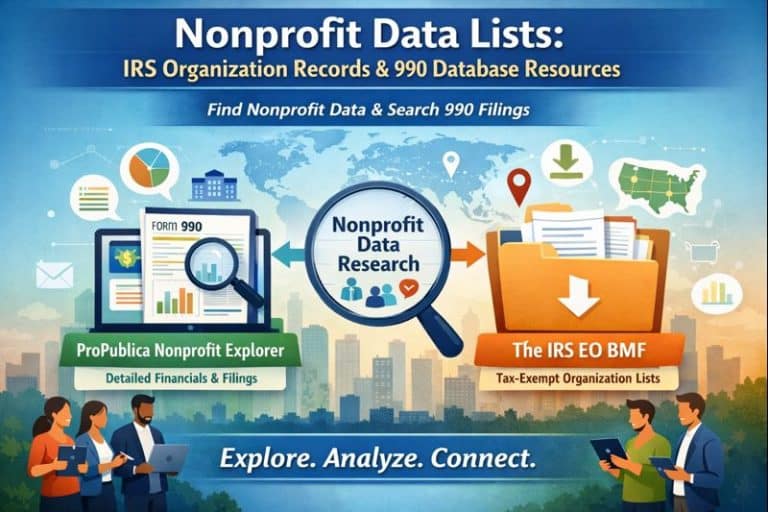
Where can you find nonprofit data lists? Start with the IRS Exempt Organizations Business Master File Extract for downloadable organization records, Tax Exempt Organization Search for available status information and filings, and ProPublica Nonprofit Explorer for an accessible view of public returns. Choose the source that answers your question, record its date, and match organizations by EIN rather than name alone.
A nonprofit list can support employer research, sector mapping, grant research, or partnership planning. It can also create misleading conclusions when different datasets are treated as interchangeable. A mailing address is not a service-area map. A historical return is not a current operating budget. An organization record is not an open job, an active grant opportunity, or permission to contact every person associated with the organization.
This guide explains a practical research process for nonprofit professionals, employers, job seekers, and analysts. It retains access to the official state download links and shows how to turn public records into a documented research list. Foundation List does not prepare IRS filings or maintain the underlying government or ProPublica databases.
Choose a nonprofit data source by the question
Begin by writing the decision your research should support. If you need to identify organizations headquartered in a state, a downloadable organization file can help. If you want to understand a specific employer’s reported finances, inspect its filings. If your question concerns donation deductibility or current status, use the relevant IRS search and read what the result actually establishes.
| Research need | Starting resource | Key limitation |
|---|---|---|
| Download organization records | IRS EO Business Master File Extract | Filing address does not necessarily identify all operating locations |
| Investigate status and available documents | IRS Tax Exempt Organization Search | Read the relevant dataset and result rather than assuming every record proves the same thing |
| Review reported financial information | Available Form 990-series returns | Reporting periods and filing dates differ from today’s circumstances |
| Explore public returns in a searchable interface | ProPublica Nonprofit Explorer | Check coverage, the filing year, and the source return |
| Find a current job | Employer career pages and Foundation List | Organization datasets do not identify current vacancies |
The IRS EO Business Master File Extract
The official EO BMF page provides CSV downloads and documentation explaining its fields and codes. The IRS organizes files by state and region using the filing address. That location represents headquarters information and may differ from where an organization operates. Records are sorted by EIN.
The IRS page displayed a posting date of October 13, 2026, and a record count of 1,975,975 when reviewed for this article. This is a dated dataset count, not a count of nonprofit employers, foundations, open positions, or organizations actively seeking donations. Visit the source for later releases and read the documentation before interpreting a field.
For a reproducible list, save the downloaded filename, source address, posting date, download date, and the filters you apply. If someone asks how you produced a result, those notes should make the process understandable. A spreadsheet without source information becomes harder to evaluate or update.

Tax Exempt Organization Search and public returns
The IRS Tax Exempt Organization Search is another important starting point. Use it to investigate the available information for an identified organization. For downloadable resources, consult the IRS public disclosure dataset directory, which separates different kinds of records and links to their documentation.
Do not treat every search result as an answer to every tax question. The dataset, document, and date matter. If a decision depends on a specific legal or tax determination, identify the exact official record needed and obtain appropriate advice rather than inferring an answer from a name appearing in a file.
ProPublica Nonprofit Explorer
ProPublica Nonprofit Explorer offers an interface for exploring annual returns and reported financial details. Its search supports organization and person research as well as full-text filing searches. Use it to locate records, then examine the filing period and underlying return before quoting a figure.
A convenient interface can make research easier, but it does not eliminate interpretation. Revenue, expenses, assets, grants, and compensation answer different questions. A reported number may cover an earlier year or a particular entity within a broader network. Record what the field measures and the entity it belongs to.
A repeatable workflow for building a nonprofit list
- Define the research purpose. Specify whether you are mapping organizations, assessing an employer, researching funders, or identifying possible partners.
- Choose a suitable source. Use organization files for broad discovery and individual records for deeper review.
- Keep the original download. Work from a copy so you can distinguish source information from your own changes.
- Preserve identifiers. Keep EINs as consistent text values and retain source names alongside standardized names.
- Document filters. Write down geography, organization categories, and any exclusions.
- Review a sample. Check that the retained records match your intended definition before using the full list.
- Add current verification. Review official websites and other appropriate sources for decisions requiring current information.
The workflow is a research method, not a guarantee of completeness. Your definition of a local employer may differ from a dataset’s definition of an organization located in a state. Make that distinction explicit in any report or outreach plan.
Use a clear research worksheet
Create columns for EIN, source legal name, working display name, filing location, source URL, source date, download date, inclusion reason, verification notes, and next review date. Add a separate column for a current website when you verify it. Do not overwrite source information with an assumption.
For employer research, add the official career page and the date you checked it. For grant research, add the actual opportunity or guidelines page rather than assuming the organization awards grants. For partnerships, record why the organization appears relevant and what remains unknown. These extra fields turn a broad record list into an actionable research tool.

State-by-state nonprofit CSV downloads
The links below point to IRS state files retained from this guide’s resource collection. The official EO BMF page should be your reference for posting dates, field definitions, and any changed download locations. A file name identifies a download, not a certification that the organizations listed meet your particular research criteria.
- Alabama CSV
- Alaska CSV
- Arizona CSV
- Arkansas CSV
- California CSV
- Colorado CSV
- Connecticut CSV
- Delaware CSV
- District of Columbia CSV
- Florida CSV
- Georgia CSV
- Hawaii CSV
- Idaho CSV
- Illinois CSV
- Indiana CSV
- Iowa CSV
- Kansas CSV
- Kentucky CSV
- Louisiana CSV
- Maine CSV
- Maryland CSV
- Massachusetts CSV
- Michigan CSV
- Minnesota CSV
- Mississippi CSV
- Missouri CSV
- Montana CSV
- Nebraska CSV
- Nevada CSV
- New Hampshire CSV
- New Jersey CSV
- New Mexico CSV
- New York CSV
- North Carolina CSV
- North Dakota CSV
- Ohio CSV
- Oklahoma CSV
- Oregon CSV
- Pennsylvania CSV
- Rhode Island CSV
- South Carolina CSV
- South Dakota CSV
- Tennessee CSV
- Texas CSV
- Utah CSV
- Vermont CSV
- Virginia CSV
- Washington CSV
- West Virginia CSV
- Wisconsin CSV
- Wyoming CSV
- Complete official state, territory, and regional directory
Check data quality before drawing conclusions
Match the legal entity carefully
Similar names can refer to separate organizations. One organization can also use a public brand that differs from its legal name. Use EINs to improve matching and investigate unclear cases. Do not merge two records solely because the names or addresses look alike.
Keep dates distinct
Dataset publication date, download date, tax period, filing date, and current website review date are different pieces of information. A recently downloaded return can still describe an earlier reporting period. Label the date associated with each claim rather than calling every downloaded figure current.
Distinguish missing from zero
A blank cell does not always mean the value is zero or that an activity did not occur. It may reflect coverage, form type, or missing information. Consult source documentation before substituting values or excluding records. Document your decision if you transform missing information for analysis.
Avoid unsupported coverage claims
A state file may be useful for discovery without representing every organization serving that state. An online filing database may be useful without containing every document you seek. Explain the scope you can support. A carefully bounded list is more useful than a broad claim that the data cannot establish.
How job seekers can use nonprofit records
Use public information to prepare better questions. Read about the organization’s stated activities and examine the relevant reporting period. Then ask the employer about the position’s current priorities, supervision, funding context, and working conditions. A public return cannot describe the day-to-day experience of working on a particular team.
Do not treat executive compensation as a salary range for every employee. Compare the actual job description, published hiring range, benefits, and role-specific sources. For application planning, use our foundation job search guide and nonprofit salary resources.
How employers and development teams can use the research
A documented organization list can support market mapping, partnership planning, or grant prospect research. It should be a starting point for qualified review. Do not assume an organization is hiring, accepts unsolicited grant requests, or has a particular budget because a database contains its record.
For recruiting, build a clear role and application process before selecting distribution channels. Foundation List provides a platform for mission-driven job opportunities. Our employer hiring resources can help your organization prepare an opening that candidates can understand and evaluate.
Maintain your research as a living record
Assign an owner and a review schedule that matches the decision. A broad background directory may need a different refresh cycle from a shortlist for an immediate application. Preserve the original source and record changes to your working file. If a website contradicts a historical return, keep both observations with their dates until the discrepancy is understood.
Report findings in plain language. Explain what the data show, what they do not show, and which questions still require direct verification. Avoid converting a research list into a ranking of organizational quality or financial health without a defensible method and suitable evidence.

Make a research handoff easy to audit
Before sharing a list, add a short note explaining its purpose, selection criteria, last review date, and unresolved questions. Include a description of any fields you added yourself. A colleague should be able to distinguish a source value from a researched update or a judgment about relevance.
If the list will inform a decision, identify which entries still need direct verification. Keep sensitive internal notes separate from public records and share only what the intended reader needs. Recheck the relevant source before using the information for a new purpose. A list built to explore potential partners may not be suitable for comparing compensation or estimating a market.
Frequently asked questions about nonprofit data lists
Are IRS nonprofit lists the same as a list of nonprofit employers?
No. Organization records do not establish that an organization has employees or is currently hiring. Use employer websites and current job postings to investigate vacancies.
Which source should I use to download state nonprofit records?
Start with the IRS EO Business Master File Extract page and its state CSV links. Read the current documentation and note the source posting date before interpreting the file.
Does a state filing address show every place an organization operates?
No. The IRS explains that state and regional files use the filing address, which may differ from the locations where an organization operates.
Can I use a Form 990 to assess a current job offer?
A return can provide historical background, but it does not establish current working conditions or the compensation range for a particular role. Ask the employer about the current position.
How should I match organizations across datasets?
Use the EIN as a key identifier where available, preserve the original names, and investigate unclear cases. Do not merge organizations solely because their names resemble one another.
Is a recently downloaded filing necessarily current?
No. Download date, filing date, and reporting period are different. Record the relevant period before describing a figure as current.
Does Foundation List control IRS or ProPublica data?
No. Those providers maintain their own resources. Foundation List links to them as research starting points and does not prepare or correct the underlying filings.
Official sources and further reading
- IRS organization extract and state downloads
- IRS Tax Exempt Organization Search
- IRS public disclosure datasets
- ProPublica Nonprofit Explorer
- Foundation funding research resources
Reviewed October 26, 2026. Source counts are dated snapshots.